AI Photo Editing Prompts: Create Trending Collage Photos with ChatGPT
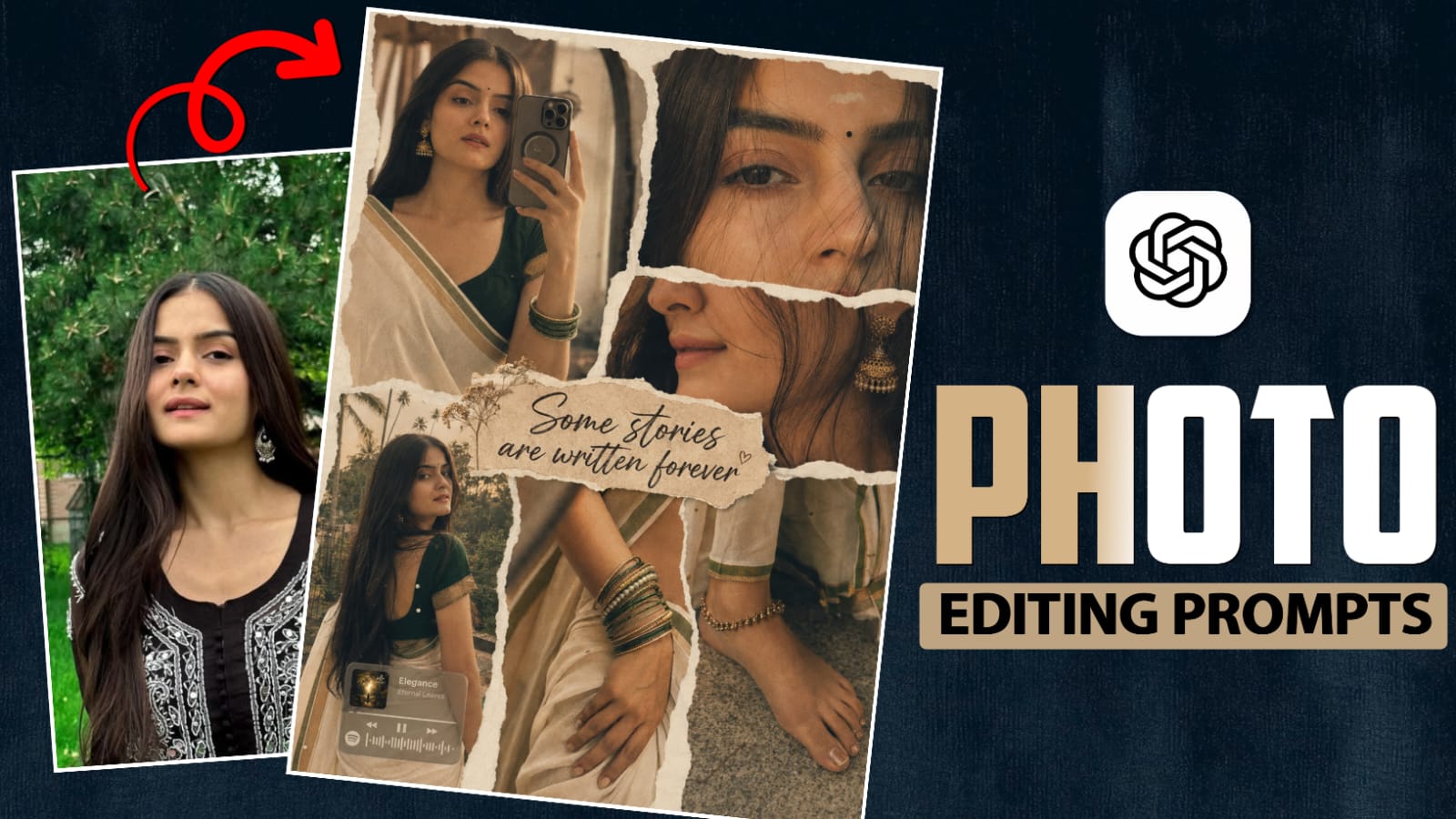
A single photograph can tell one story, but several photographs placed together can show an entire mood. That is what makes AI collage editing so interesting. Instead of choosing only one picture for an Instagram post, you can combine different moments into one carefully designed composition.
With ChatGPT collage photo editing prompts, multiple photographs can be turned into a coordinated visual without making them look like unrelated images simply placed beside each other. The idea is to create a composition where the photographs, background, lighting, spacing, and overall atmosphere feel connected.
This style can work for portraits, travel memories, fashion pictures, friendship posts, couple photographs, traditional outfits, birthdays, or even a collection of everyday moments.
Give Every Photo A Role
- Uploading several pictures without explaining their purpose can produce an unpredictable composition.
- Before generating the edit, decide which photograph should receive the most attention.
- Your strongest portrait can act as the main image. A full-body photograph can provide scale. A close-up can add detail, while a candid shot can bring a more natural feeling.
- You can mention these roles directly in the prompt.
- For example, ask the AI to make one image the central focus and use the remaining references as supporting visual elements.
- This gives the composition a clearer hierarchy.
The AI can be instructed to maintain a common atmosphere so the final result feels like one memory rather than five unrelated pictures.
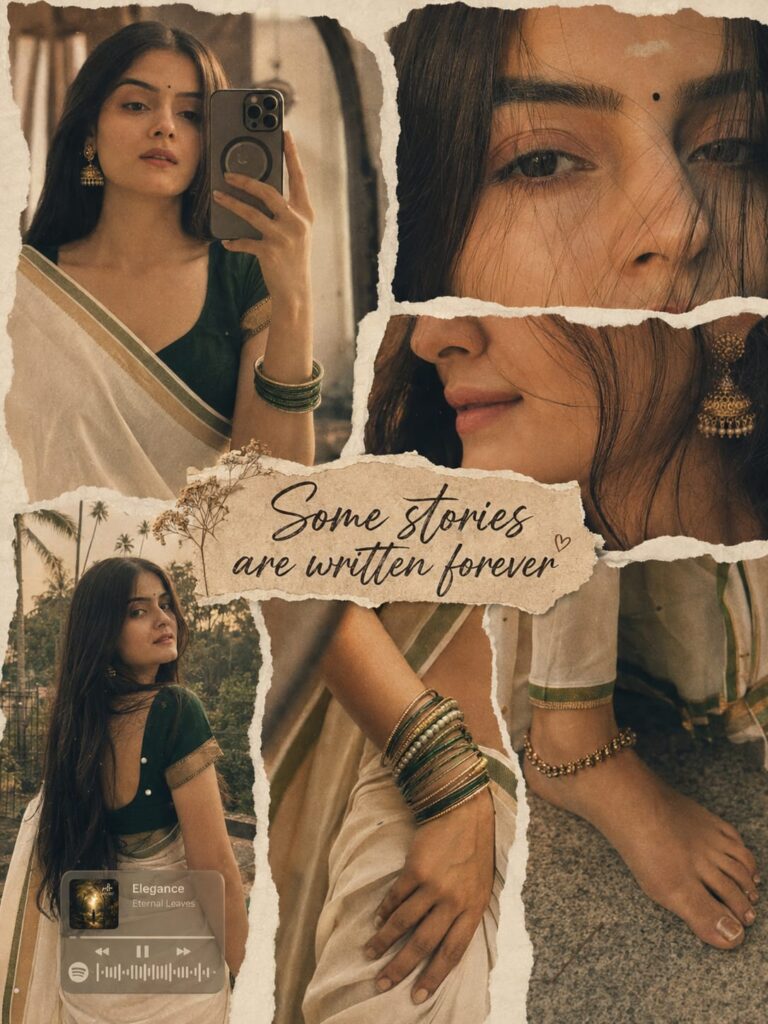
PROMPTS :- Ultra-realistic scrapbook style collage of 6 panels with off white torn paper background overlapping frames, using the uploaded face exactly.Panels includes: close-up mid-shot mirror selfie, closeup of eyes only with strands of hair,45 degree side angle closeup of lips with soft smile, back view while turning back, hands with stacked bangles, legs with anklets. Hair is left open. Lighting is warm golden light, soft shadows, cinematic warmth. Color grading: amber warm golden tone cream, soft film grain, slight dreamy blur. Subject styling:White saree with thin golden and deep green border with deep green blouse, small black bindi, soft natural makeup, simple white tilak, golden jhumka, green bangles. Face unchanged in all panels.A low opacity music card of Spotify with “Elegance”A rustic torn paper banner at the centre with writing “Some stories are written forever” in bold cursive font with a tiny Background include kerala mood. Aspect ration 3:4
Add A Cinematic Direction
If you want something more dramatic, change the atmosphere rather than adding random effects.
Try describing a nighttime editorial environment, warm evening light, soft film grain, subtle shadows, or a moody urban setting.
The important thing is to keep the lighting consistent across the entire composition.
If every photograph appears to come from a completely different lighting environment, the collage may lose its realism.
A shared atmosphere can make separate reference images feel as though they were photographed for the same project.
Let The References Remain The Main Attraction
The most successful AI collage does not necessarily have the most complicated background.
It is the one where the original photographs still feel important.
Try the prompt with your own photographs and then change the layout according to your theme. Whether you are creating a fashion post, friendship memory, travel collection, couple composition, or personal portrait set, ChatGPT collage photo editing prompts can turn several ordinary pictures into one visual story.
The interesting part is that there is no single correct collage style. Your photographs can decide the composition, and the prompt can simply provide the creative direction.


Post Comment